
Creating a Boundary
Boundaries are formed from two components, a shape and a renderer which are represented by BoundaryShape and BoundaryRenderer respectively.
Currently, the only BoundaryShape that arcade provides is AxisAlignedBoundaryShape, which is essentially just a dynamic axis aligned bounding box. Other boundary shapes are planned, for example a spherical or cylindrical boundary shape.
We can create an AxisAlignedBoundaryShape as follows:
val box: AABB = // ...
val shape = AxisAlignedBoundaryShape(box)
As for BoundaryRenderer there are two main provided options being ParticleBoundaryRenderer (or AsyncParticleBoundaryRenderer) and AxisAlignedDisplayBoundaryRenderer.
Renderers are supplied to a boundary as a BoundaryRenderer.Factory rather than directly, this lets the boundary construct the renderer for its own level and shape. Each renderer provides a matching Factory for this purpose.
We'll start with the particle renderer, which renders the boundary using particles, we can specify custom particle options which can change the particles that the boundary uses for rendering, by default it will use blue, red, and green dust particles for stationary, shrinking, and growing respectively. We can also specify the range at which particles will be visible to players and the number of particles per block to render.
val renderer = ParticleBoundaryRenderer.Factory(
    particles = ParticleRenderOptions.DEFAULT,
    range = 40.0,
    pointsPerBlock = 1.0
)
Our renderer would look like this in game: 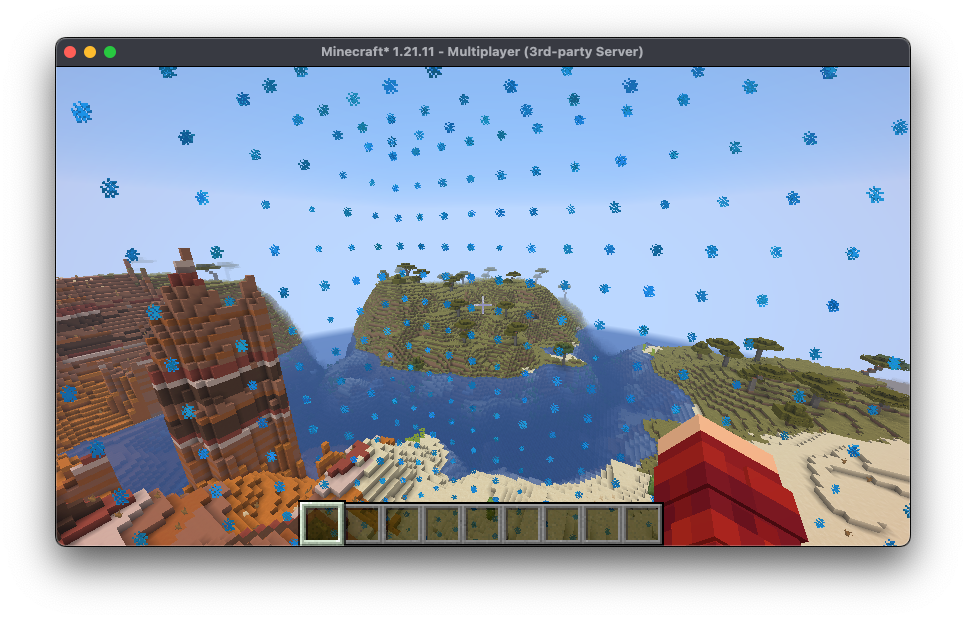
Now let's have a look at AxisAlignedDisplayBoundaryRenderer, this renderer uses display entities to render the boundary. The constructor takes in AxisAlignedModelRenderOptions which dynamically specifies what the model for each of the faces should be.
val renderer = AxisAlignedDisplayBoundaryRenderer.Factory(
    models = AxisAlignedModelRenderOptions.DEFAULT
)
By default, the models are the light blue, red, and lime stained-glass textures, but we can actually use shaders to create a more faithful world-border-like recreation. Arcade comes with AxisAlignedModelRenderOptions.CUBOID_SHADER and AxisAlignedModelRenderOptions.CUBE_SHADER options which render the animated world border texture on the boundary faces.
The difference between the two is that the cuboid shader will work for boundaries that have a different x, y, and z size but only when the sizes are in the range [0.5..32760]. The cube shader will only work for boundaries where the x, y, and z sizes are equal but works for the entire 32-bit floating point range.
val renderer = AxisAlignedDisplayBoundaryRenderer.Factory(AxisAlignedModelRenderOptions.CUBOID_SHADER)This is what the shader version looks like in game: 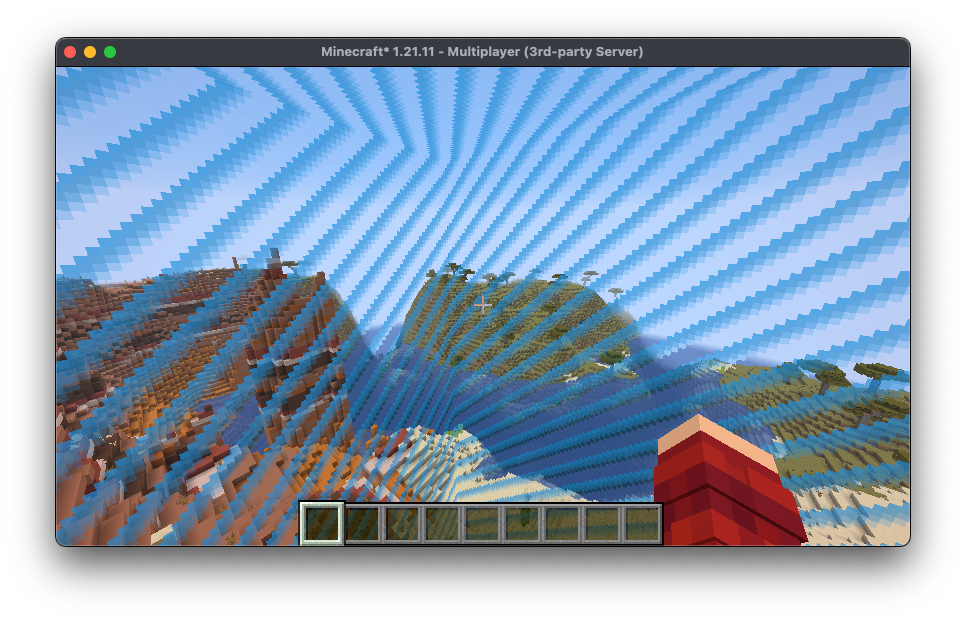
Putting this together we can actually create an instance of LevelBoundary, which takes the level it belongs to, the shape, and the renderer factory:
val level: ServerLevel = // ...
val box: AABB = // ...
val shape = AxisAlignedBoundaryShape(box)
val renderer = AxisAlignedDisplayBoundaryRenderer.Factory(AxisAlignedModelRenderOptions.CUBOID_SHADER)
val boundary = LevelBoundary(level, shape, renderer)
And then we can assign it to a given world:
level.levelBoundary = boundary