
Sidebar
The sidebar is a very powerful tool that minigames have to display user interfaces. Arcade provides an api to display ui on a per-player basis dynamically. We can display up to 15 rows of text on the side of our player's screens.
Sidebar Components
Each row of a sidebar is a SidebarComponent, which has a display component, aligned to the left, and optionally a score component, aligned to the right:
SidebarComponent.withNoScore(Component.literal("My Display Element"))

SidebarComponent.withCustomScore(
    Component.literal("My Display Score"),
    Component.literal("My Right-Aligned Score!")
)
There are also two special components; SidebarComponent.EMPTY which displays a blank row, and SidebarComponent.NONE which is the absence of a row, and isn't displayed at all.
Creating A Sidebar
A VirtualSidebar has a title and up to MAX_SIZE rows, all of which are values. Row 0 is the bottom row of the sidebar:
val sidebar = VirtualSidebar()
sidebar.title.set(Component.literal("Sidebar Title"))

sidebar.row(1).set(SidebarComponent.withNoScore(Component.literal("My Display Element")))
sidebar.row(0).set(SidebarComponent.withCustomScore(
    Component.literal("My Display Score"),
    Component.literal("My Right-Aligned Score!")
))
These elements would result in a sidebar looking like so: 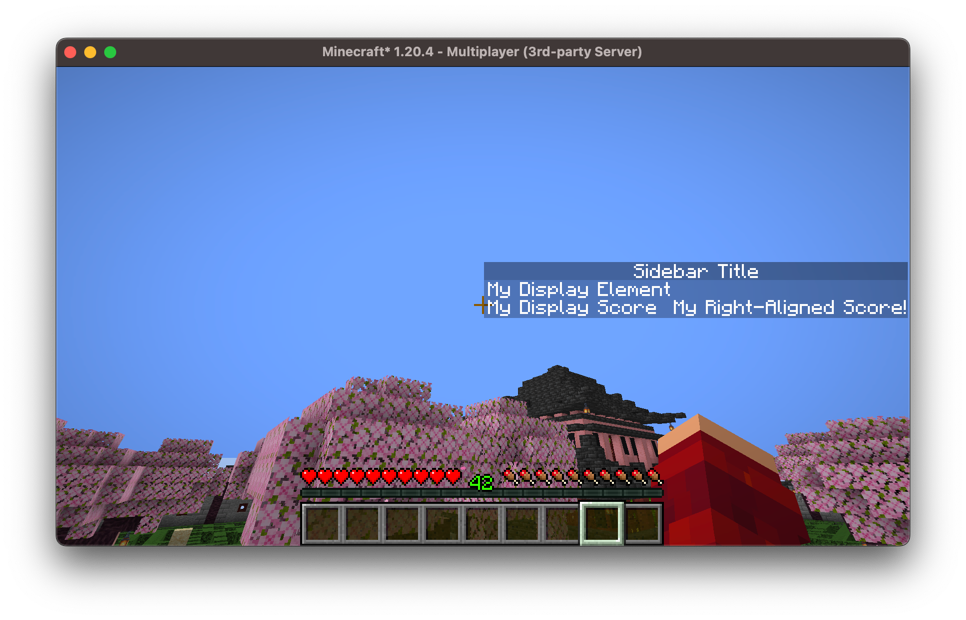
We don't have to specify how many rows our sidebar has. Rows start out as SidebarComponent.NONE and the sidebar is as tall as its highest set row, so setting a row grows the sidebar to include it, and setting it back to NONE shrinks it again:
sidebar.row(4).set(row)                     // The sidebar is now 5 rows tall
sidebar.row(4).set(SidebarComponent.NONE)   // And back to however tall it was
Any row below the highest one that we haven't set is displayed blank, so we can leave gaps in our sidebar.
If it's easier to think about the sidebar as a whole, we can set every row at once with setRows, which will clear any row beyond the ones we give it. This takes the rows bottom-first, so it's usually easier to build them with SidebarComponents, which takes them in the order they're displayed:
sidebar.setRows(SidebarComponents.of(
    SidebarComponent.withNoScore(Component.literal("Top row")),
    SidebarComponent.withNoScore(Component.literal("Bottom row"))
))
SidebarComponents also lets us add rows from a Component directly:
val rows = SidebarComponents.empty()
    .addRow(Component.literal("Top row"))
    .addRow(Component.literal("Score row"), Component.literal("42"))
Per-Player Rows
Since rows are values, we can override an individual row for a single player:
sidebar.row(0).set(player, SidebarComponent.withNoScore(Component.literal("Just for you!")))Or override all of their rows at once, and set them back to what everyone else is being displayed:
sidebar.setRows(player, listOf(bottom, top))

sidebar.setRowsToBase(player)
Generating A Sidebar
Instead of setting our rows ourselves, a DynamicVirtualSidebar can generate the title and rows from elements:
val sidebar = DynamicVirtualSidebar(server)
sidebar.setTitle(ComponentElements.of(Component.literal("Sidebar Title")))

// Displays the player's xp level
sidebar.setRow(1) { player ->
    SidebarComponent.withCustomScore(
        Component.literal("XP Level").bold(),
        Component.literal(player.experienceLevel.toString()).purple()
    )
}
// Displays the server's current tick
sidebar.setRow(0, UniversalElement { server ->
    SidebarComponent.withCustomScore(
        Component.literal("Ticks").italicise(),
        Component.literal(server.tickCount.toString()).lime()
    )
})
In game this looks like so: 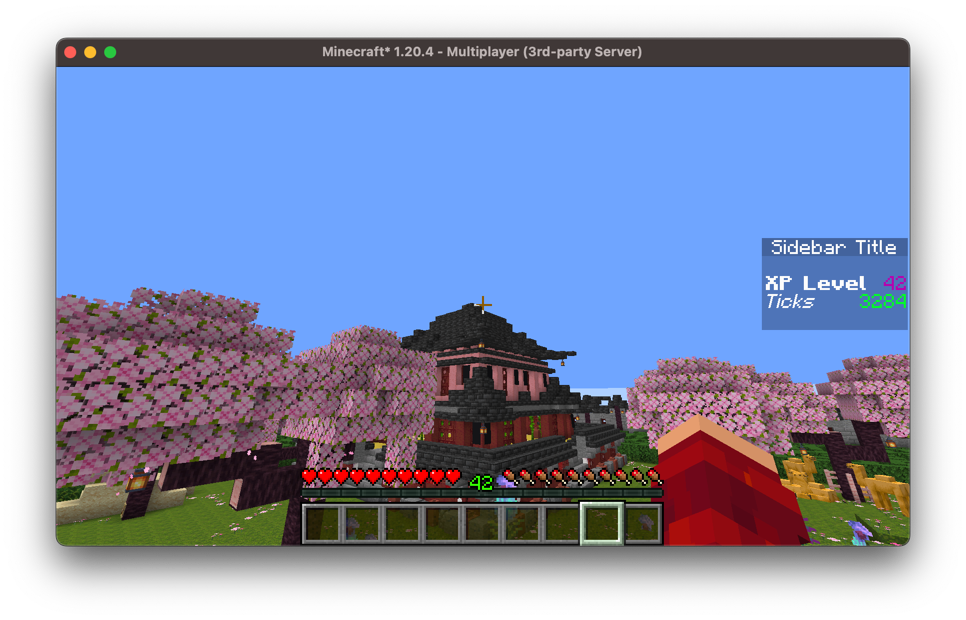
We can also generate the entire sidebar at once, which is useful if the number of rows we want to display varies:
sidebar.setRows { player ->
    val rows = SidebarComponents.empty()
    rows.addRow(Component.literal("Welcome, ${player.scoreboardName}!"))
    for (objective in objectivesFor(player)) {
        rows.addRow(objective.display())
    }
    rows
}
Much like the values themselves, a UniversalElement generates the base rows and any other element generates per-player rows, and a sidebar can have both. This is how we'd display a shared sidebar to most players while displaying something different to some of them:
sidebar.setRows(UniversalElement { server -> sharedRows(server) })
sidebar.setRows { player -> rowsFor(player) }
If we've generated a row with setRow then that row will be displayed instead of the one generated by setRows.