Tab Display
The tab list is a key part of minigames, it displays information about all the current players online. Arcade extends this functionality by giving you full control of what is displayed in the tab display.
To create a tab display, we can construct an instance of PlayerListDisplay, as with the bossbars and sidebar this extends TrackingVisualElement. To construct this we need to provide some PlayerListEntries, the next section will discuss this in more detail.
val entries = VanillaPlayerListEntries()
val display = PlayerListDisplay(entries)
Player List Entries
The first thing we will be looking at configuring is the player list entries, these are the players that are actually listed when you press tab. In vanilla this displays all online players, however this may not be desirable. Further, perhaps you don't like the order vanilla sorts the player list entries by, we also have full control of that. Or maybe you don't even want to display the online players there, display whatever you please.
The PlayerListEntries interface is how we can configure what is displayed in tab, it contains a size field dictating how many entries there are, the getEntryAt method which gets an entry at a given index, and a tick method for updating the entries.
There are some existing implementations of PlayerListEntries:
VanillaPlayerListEntries- an implementation ofPlayerListEntriesthat imitates vanilla behaviourTeamListEntries- displays players, grouped by teams in a nicely organized wayMinigamePlayerListEntries- only displays players in the specified minigame (requires the minigame module)
The TeamListEntries however requires some resource packs which are provided by Arcade, namely a resource pack to player heads, hide player heads, player ping, and a negative padding resource pack. More information about these packs in the Resources Section
Here's an example of what TeamListEntries look like:
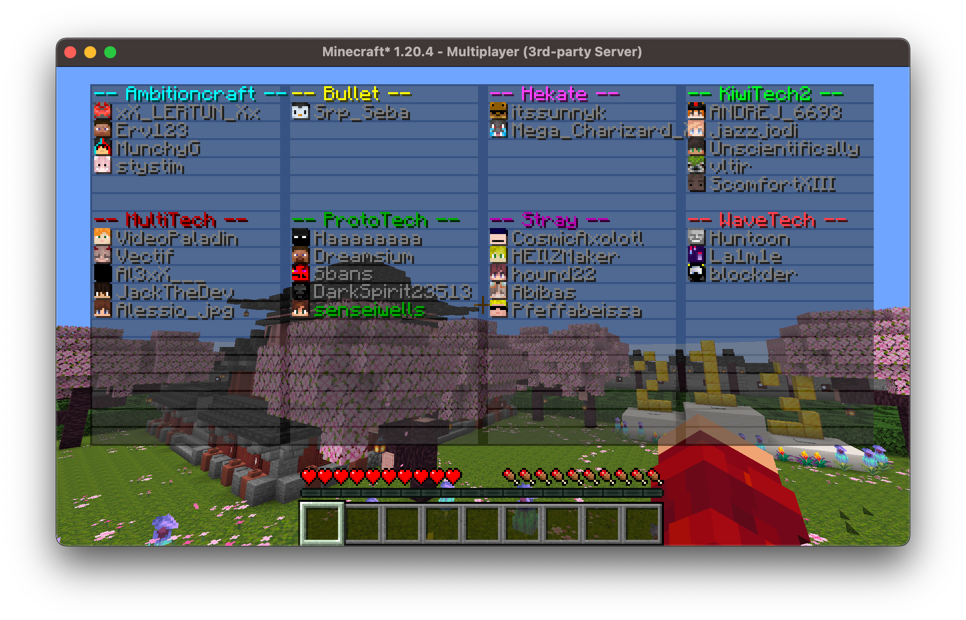
You can extend this class to modify the formatting and customize what teams are displayed.
Implementing Your Own
Alternatively, you can implement your own PlayerListEntries by implementing the interface:
class MyPlayerListEntries: PlayerListEntries {
    override val size: Int
        get() = TODO("Not yet implemented")

    override fun getEntryAt(index: Int): PlayerListEntries.Entry {
        TODO("Not yet implemented")
    }
}
Each Entry consists of a display which is the text component displayed as the name, the textures which is a base64 encoded signed texture JSON which are used for Minecraft skins, this determines the head that's rendered, and a latency which renders the latency sprite.
We can create a vanilla-like player entry by calling the utility method PlayerListEntries.Entry#fromPlayer which will create an entry for a given player. Alternatively if you want a blank entry (no player head and no latency) you can call PlayerListEntries.Entry#fromComponent, in order for players to view this correctly they need the resource packs as previously mentioned. And finally, you can create your own entries, ensure that if you use your own textures for player heads, you ensure they have a valid signature, otherwise they will not render properly.
Header and Footer
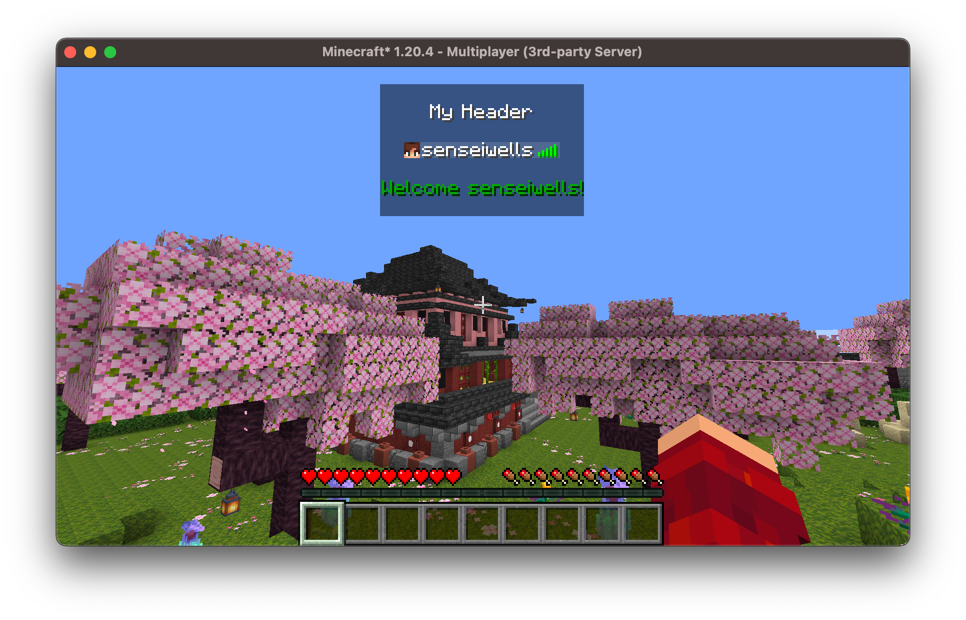
The header and footer for the tab display are very easy to configure, they're very similar to how bossbars are handled, we just provide some PlayerSpecificElement<Component>s as a header and footer:
val display = PlayerListDisplay(VanillaPlayerListEntries())

display.setDisplay(
    header = UniversalElement.constant(Component.literal("\nMy Header\n")),
    footer = { player -> Component.literal("\nWelcome ${player.scoreboardName}!\n").green() }
)
This will look like so: